
2026-06-02
How to Sort TikTok Videos by Views in Chrome
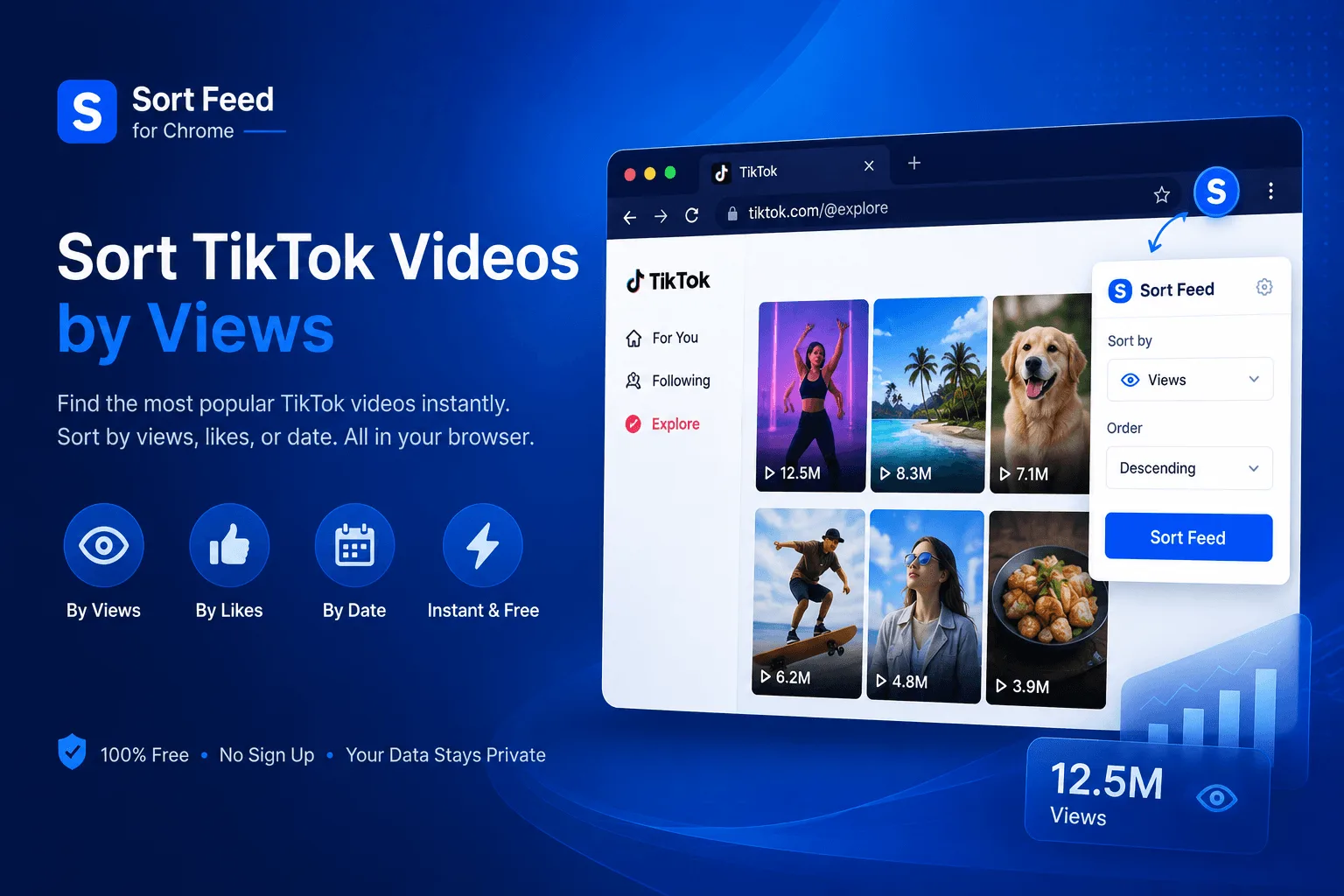
Step-by-step TikTok sorter workflow with Sort Feed: rank visible grids by views, likes, or date.
Why TikTok's Algorithm Makes Manual Sorting Essential
TikTok's For You Page algorithm is designed to keep you scrolling, not to show you the best content from creators you follow. It prioritizes content it thinks you'll engage with based on your viewing history, often burying a creator's best-performing videos under newer, algorithm-approved content.
This creates a fundamental problem for anyone trying to:
- Research a creator's actual best work: Their most-viewed video might be hidden three pages deep in their profile
- Understand what's truly viral: The algorithm shows you what it wants you to see, not necessarily what's performing best
- Track trending sounds and hashtags: You need to see the full picture, not just algorithmically curated highlights
- Analyze competitor strategies: Sorting by views reveals what actually resonates with audiences, not just what the algorithm pushes
How Sort Feed Works on TikTok
Sort Feed integrates directly into TikTok's interface, adding sorting controls to profiles, hashtag pages, and search results. Here's what makes it different from just scrolling:
Step 1: Install the Extension
Add Sort Feed from the Chrome Web Store:
- Visit the Chrome Web Store listing
- Click "Add to Chrome"
- The Sort Feed icon appears in your toolbar
Step 2: Navigate to TikTok
Go to any TikTok page you want to analyze:
- Profile pages — See a creator's full video library sorted by actual performance, not just recent uploads
- Hashtag pages — Discover what's truly trending in any niche
- Search results — Find the most-viewed videos for any topic
- Music pages — See which sounds are actually driving views and engagement
Step 3: Sort and Analyze
Click the Sort Feed icon and choose your sorting criteria:
- Select your metric (Views, Likes, Comments, or Date)
- Choose ascending or descending order
- The page instantly reorganizes to show videos ranked by your choice
Everything happens locally in your browser — TikTok doesn't know you're sorting, and no data leaves your machine.
TikTok-Specific Research Strategies
Decode the For You Page Algorithm
TikTok's algorithm weights certain signals more heavily than others. Understanding these helps you interpret sorted results:
- Watch time is king: Videos that keep viewers watching longer get pushed more aggressively — sort by views to see what actually retains attention
- Completion rate matters: Videos watched to the end signal strong content quality to the algorithm
- Early engagement spike: Videos that get quick likes and comments in the first hour tend to go viral faster
- Sound adoption: Using trending sounds gives your content a boost, but the best sounds are often discovered by sorting music pages by views
Analyze Content Patterns
TikTok rewards consistency in certain areas. Look for patterns across a creator's top videos:
- Video length sweet spot: Do 15-second videos outperform 60-second ones? Or vice versa?
- Hook effectiveness: The first 3 seconds determine if viewers stay — what patterns do top videos use?
- Content format: Talking head, tutorials, transitions, or duets — which formats drive the most views?
- Posting time: When does a creator's audience actually engage? Sort by date to spot patterns
Track Sound and Hashtag Performance
TikTok is uniquely driven by sounds and hashtags. Use sorting to understand what's actually trending:
- Music pages: Sort by views to see which sounds are genuinely popular vs. algorithmically pushed
- Hashtag pages: Find the most-viewed videos in any hashtag to understand true engagement levels
- Cross-reference: Compare view counts across similar hashtags to find less saturated opportunities
Identify What Actually Works
Don't just look at view counts — understand the context behind them:
- Views vs. engagement ratio: A video with 1M views but low comments may be viral but not engaging
- Creator consistency: Do they have multiple viral videos, or just one lucky hit?
- Content evolution: How has their strategy changed over time? Sort by date to track this
- Niche dominance: Who truly owns a particular topic or style?
Understanding TikTok Engagement Signals
TikTok's algorithm interprets different engagement types in specific ways:
- Views: The most basic metric, but context matters — 1M views from the For You Page means different things than 1M views from profile visits
- Watch time: More important than views alone — videos that keep viewers watching signal quality to the algorithm
- Completion rate: Videos watched to the end are heavily favored by TikTok's recommendation system
- Likes: Show appreciation, but less impactful than shares or comments for algorithmic push
- Comments: Strong signal of engagement — videos with active comment sections get more algorithmic love
- Shares: The most powerful signal — when someone shares your video, TikTok knows it's worth showing to more people
- Bookmarks: Indicate content worth revisiting — TikTok tracks this as a quality signal
- Profile visits from video: When viewers visit your profile after watching, it signals your content made them want more
Frequently Asked Questions
Does this work with TikTok's algorithm?
Sort Feed doesn't bypass or modify TikTok's algorithm — it simply reorders what's already visible on your screen. You're still seeing the same videos, just arranged differently.
Can I sort the For You Page?
Sort Feed works on profile pages, hashtag pages, search results, and music pages. The For You Page itself is curated by TikTok's algorithm and isn't sortable — but you can sort any creator's profile to see their best content.
Will TikTok know I'm using this?
No. Sort Feed runs entirely in your browser and doesn't communicate with TikTok's servers. It's invisible to TikTok.
Is my data safe?
Completely. All sorting happens locally — no data is sent to external servers, and no TikTok credentials are required.
Does it work on mobile?
Sort Feed is a desktop Chrome extension. For mobile TikTok access, you'll need to use the TikTok app directly.
Conclusion
TikTok's For You Page algorithm shows you what it thinks you want to see, not necessarily what's most popular or highest-quality from creators you follow. Sort Feed puts you back in control, letting you see the full picture of any creator's content performance.
Whether you're a brand analyzing competitor strategies, a creator studying what works, or a marketer tracking viral trends — Sort Feed gives you the insights TikTok's algorithm hides.
Install Sort Feed from the Chrome Web Store and start seeing TikTok on your own terms.