
2026-06-01
How to Sort Instagram Posts by Likes, Views, and Date
Instagram feed sorter guide for ranking reels and posts by engagement in Chrome.
Why Instagram's Algorithm Makes Sorting Essential
Instagram's algorithm is designed to maximize time spent on the platform, not to show you the most relevant content. It prioritizes recent posts, posts from accounts you interact with, and content it thinks you'll engage with — often missing the best content from accounts you follow.
This is especially problematic when you're:
- Researching a brand or creator: Their best-performing posts might be buried under months of lower-quality content
- Analyzing competitor strategies: You need to see what's actually working, not what the algorithm wants you to see
- Building a content strategy: Understanding what resonates requires seeing the full picture, not a curated feed
- Restoring chronological order: Sometimes you just want to see posts in the order they were shared, like Instagram used to be
How Sort Feed Works on Instagram
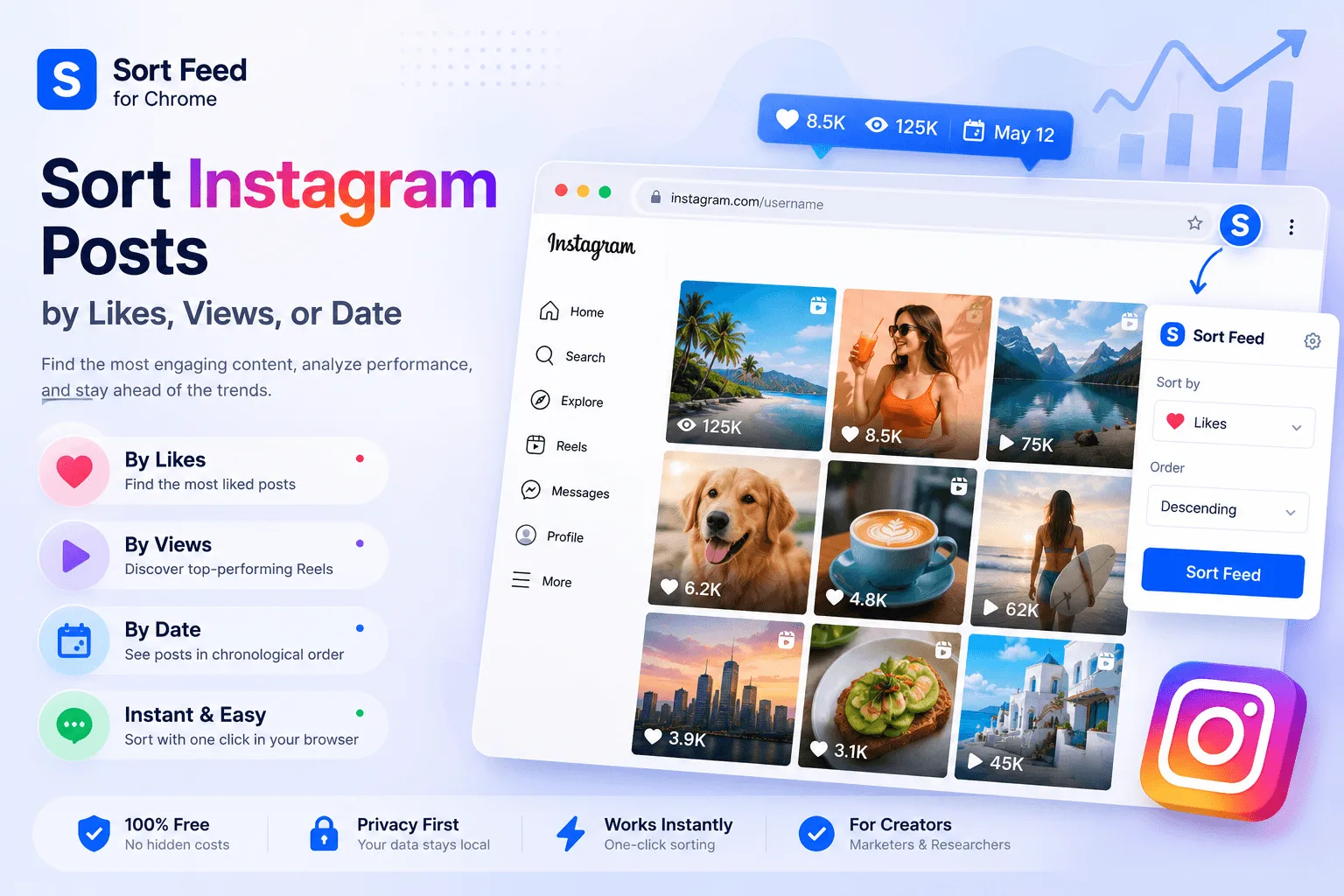
Sort Feed integrates directly into Instagram's interface, adding sorting controls to profile pages, explore, and hashtag feeds. Here's what makes it different from other tools:
Step 1: Install the Extension
Add Sort Feed from the Chrome Web Store:
- Visit the Chrome Web Store listing
- Click "Add to Chrome"
- The Sort Feed icon appears in your toolbar
Step 2: Navigate to Instagram
Go to any Instagram page you want to analyze:
- Profile pages — See a creator's best content sorted by engagement, not just recent posts
- Explore page — Discover trending content sorted by actual popularity
- Hashtag feeds — Find the most engaging posts for any topic or niche
- Reels tab — Sort short-form video content by views or likes
Step 3: Sort and Analyze
Click the Sort Feed icon and choose your sorting criteria:
- Select your metric (Likes, Comments, Views, or Date)
- Choose ascending or descending order
- The page instantly reorganizes to show posts ranked by your choice
Everything happens locally in your browser — Instagram doesn't know you're sorting, and no data leaves your machine.
Instagram-Specific Research Strategies
Decode the Algorithm
Instagram's algorithm weights certain signals more heavily. Understanding these helps you interpret sorted results:
- Comments signal genuine interest: A post with 100 comments often indicates more real engagement than one with 1,000 likes but zero comments
- Saves indicate lasting value: When users save a post, Instagram's algorithm takes note — this content has staying power
- Shares extend reach: Posts that get shared to Stories or DMs are being actively promoted by users, not just passively liked
Compare Content Formats
Instagram offers multiple content types, each with different engagement patterns:
- Single images: Great for striking visuals, but often lower engagement than other formats
- Carousels: Multiple slides encourage swiping, which boosts engagement metrics and saves
- Reels: Currently favored by Instagram's algorithm — sort by views to see what's actually being pushed
- Collaborative posts: Posts with multiple authors often reach broader audiences
Track Engagement Over Time
Sort by date to see how an account's content strategy has evolved:
- Are they posting more Reels now than they were 6 months ago?
- Did their engagement rate change after a content style shift?
- What posting frequency correlates with their highest-performing content?
Identify What Actually Works
Don't just look at metrics — understand the story behind them:
- Caption length: Do longer, story-driven captions get more comments?
- Visual style: Is there a consistent aesthetic that builds brand recognition?
- Posting times: When does their audience actually engage?
- Content themes: Which topics consistently outperform others?
Understanding Instagram Engagement Signals
Not all engagement is equal. Here's how Instagram's algorithm interprets different signals:
- Likes: The lowest-effort engagement — nice to have, but doesn't strongly signal content quality to the algorithm
- Comments: Require more effort and indicate genuine interest — Instagram's algorithm favors posts with active comment sections
- Saves: The strongest signal of content value — users are bookmarking this for later, which tells Instagram it's worth showing to others
- Shares: When someone shares your post, they're actively endorsing it — this is the most powerful form of engagement
- DM shares: Posts shared in private messages are weighted heavily — they indicate content worth talking about
- Profile visits: After seeing a post, if users visit your profile, it signals the content made them want to learn more
- Reach vs Impressions: Reach is unique viewers; impressions is total views. High impressions with low reach suggests repeat viewers — a sign of sticky content
Frequently Asked Questions
Does this work with Instagram's algorithm?
Sort Feed doesn't bypass or modify Instagram's algorithm — it simply reorders what's already visible on your screen. You're still seeing the same posts, just arranged differently.
Can I sort Stories or Highlights?
Sort Feed focuses on permanent feed content: posts, Reels, and carousels. Stories and Highlights use Instagram's own navigation system and aren't supported for sorting.
Will Instagram know I'm using this?
No. Sort Feed runs entirely in your browser and doesn't communicate with Instagram's servers. It's invisible to Instagram.
Is my data safe?
Completely. All sorting happens locally — no data is sent to external servers, and no Instagram credentials are required.
Does it work on mobile?
Sort Feed is a desktop Chrome extension. For mobile Instagram access, you'll need to use the Instagram app directly.
Conclusion
Instagram's algorithm shows you what it thinks you want to see, not necessarily what's most engaging or important. Sort Feed puts you back in control, letting you see the full picture of any account's content performance.
Whether you're a brand analyzing competitors, a creator studying what works, or a marketer building data-driven strategies — Sort Feed gives you the insights Instagram's algorithm hides.
Install Sort Feed from the Chrome Web Store and start seeing Instagram on your own terms.